

TM 5-3805-291-23-2
REARVIEW CAMERA, CABLE, AND DISPLAY REPLACEMENT - CONTINUED
0050 00
INSTALLATION - CONTINUED
4.
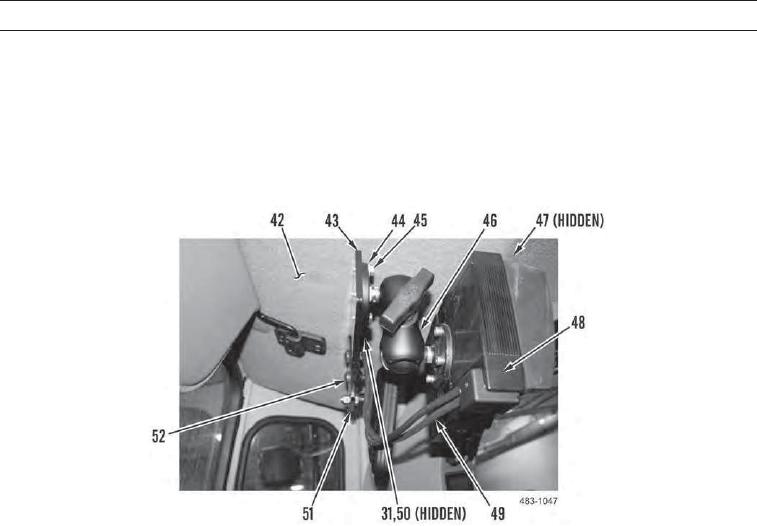
Position camera display cable (31) in machine and secure with tiedown straps (47).
5.
Install mount bracket (43) on support bracket (51) with two bolts (52).
6.
Install display (48) with mount (46) on mount bracket (43) with four washers (44) and bolts (45).
7.
Connect camera display harness (49) to cab harness (50) and camera display cable (31). Position cab harness and camera
display cable behind headliner (42).
0050 00-9