

TM 5-2420-231-23-1
0051
Table 1. Transmission Does Not Shift into Forward - Continued.
051
MALFUNCTION
TEST OR INSPECTION
CORRECTIVE ACTION
NOTE
Transmission Does Not Shift
into Forward - Continued
Refer to How To Use On-Board Diagnostics (WP 0006) to understand the
front display screen indicators.
2. Turn ignition switch to the on posi-
Front Display Screen Indicates "nA"
tion (TM 5-2420-231-10).
- Proceed to step 3.
Front Display Screen Is Blank -
Diagnose front display screen and
perform Display and/or Backup Alarm
Does Not Turn On (WP 0043) and then
proceed to Test Step 38.
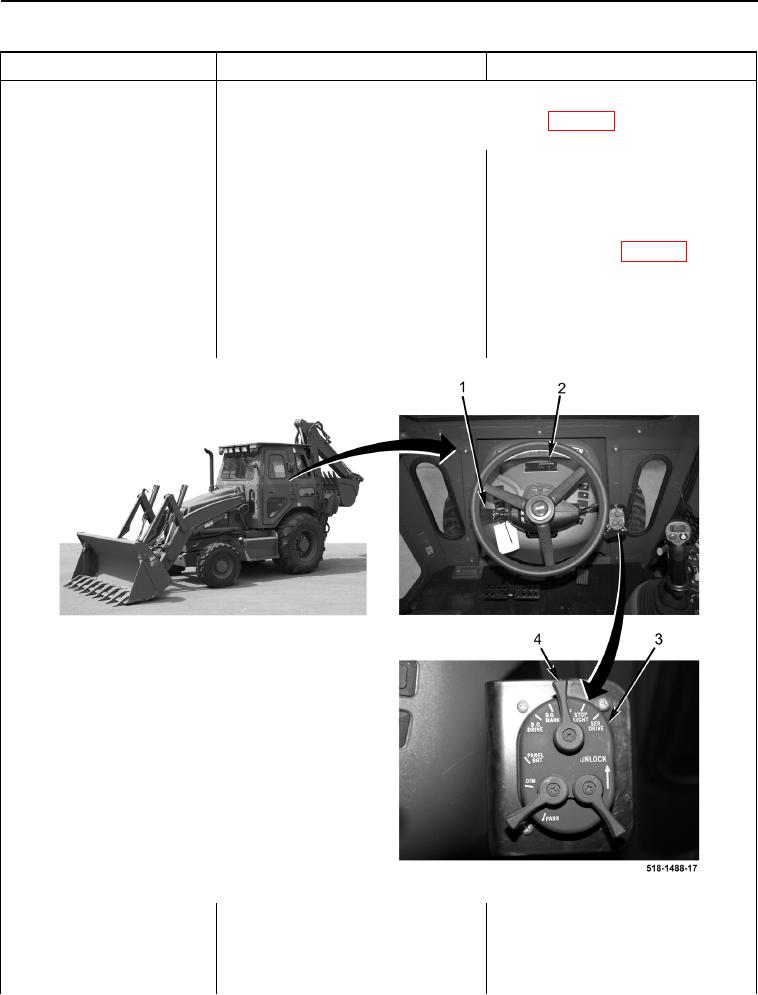
3. Turn light control switch lever (Fig-
ure 2, Item 4) to the SER. DRIVE
position (Figure 2, Item 3) (TM 5-
2420-231-10).
Figure 2. Light Control Switch and Powershift Lever.
0051