

TM 5-3805-298-23-1
0008
CONNECTING MSD CONTINUED
NOTE
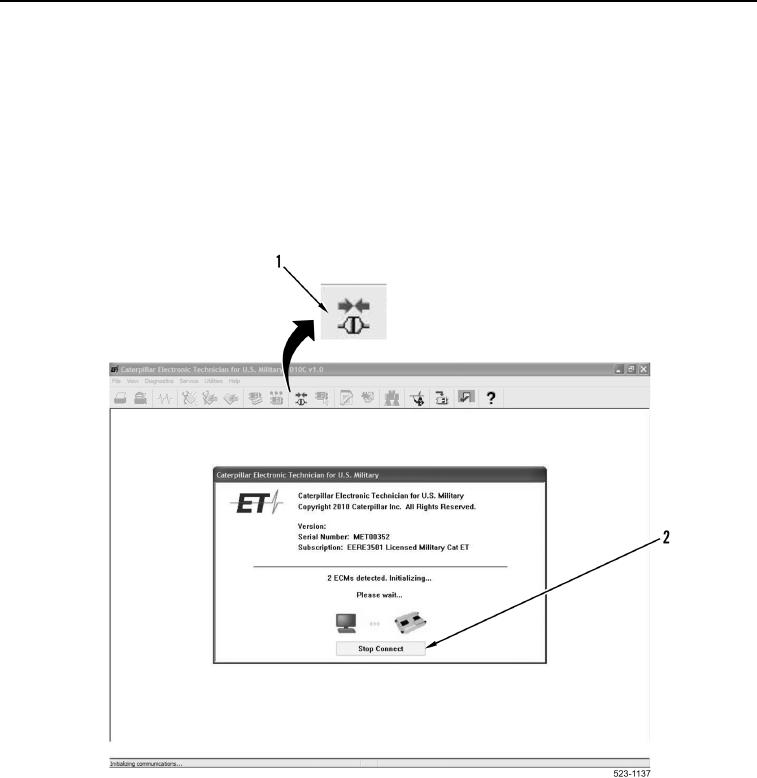
If Stop Connect button (Figure 15, Item 2) is selected, it may be necessary to turn the
ignition switch to the OFF position (TM 5-3805-298-10) before restarting ET.
12. Select Stop Connect button (Figure 15, Item 2) to interrupt ET communication with all ECMs.
a. If ET does not detect any ECM, select the Stop Connect button (Figure 15, Item 2), close ET, verify all
cable connections are secure and tight, then proceed to step 13.
b. If ET detects at least one ECM communicating, proceed to step 14.
Figure 15. Communicating, and Connect Icon.
0008