

TM 5-2420-231-23-1
0034
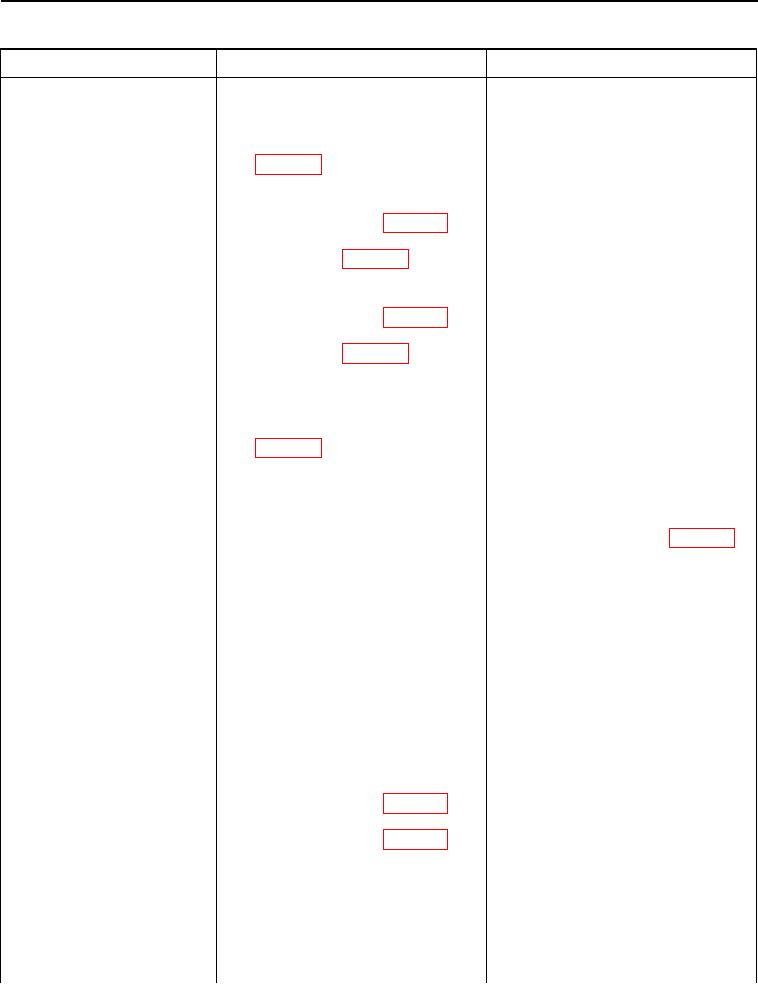
Table 1. Parking Brake Indicator Fault - Continued.
034
MALFUNCTION
TEST OR INSPECTION
CORRECTIVE ACTION
Parking Brake Indicator
Test Step 8. Check for Open Circuit
Fault - Continued
in Main Chassis Wiring Harness.
1. Install a jumper wire between side
console wiring harness connector
(WP 0007, Figure 28) pins 7 and
36.
2. Disconnect main chassis wiring
harness connector (WP 0007, Fig-
ure 48) from right-hand parking
brake switch (WP 0007, Figure
49).
3. Disconnect main chassis wiring
harness connector (WP 0007, Fig-
ure 50) from left-hand parking
brake switch (WP 0007, Figure
51).
4. Using a digital multimeter, mea-
Resistance 5.0 Ohms or Less - Adjust
sure resistance between main
left- and right-hand parking brake light
chassis wiring harness connector
switches (WP 0223). If left- and right-
(WP 0007, Figure 50) terminals A
hand parking brake light switches are
and B. Resistance should be 5.0
adjusted correctly, replace left- and
ohms or less.
right-hand parking brake light switches
(WP 0223).
Remove jumper wire from side console
wiring harness connector (WP 0007,
Figure 28) pins 7 and 36.
Install instrument panel cluster (WP
0177).
Install front instrument panel right-side
cover (WP 0176).
Proceed to Test Step 10.
Resistance Greater Than 5.0 Ohms -
Proceed to Test Step 9.
Test Step 9. Check for Open Circuit
in Side Console Wiring Harness.
1. Remove front instrument panel
right-side cover (WP 0176).
2. Disconnect side console wiring
harness connector (WP 0007, Fig-
ure 24) from main chassis wiring
harness connector (WP 0007, Fig-
ure 25).
0034-9