

4
TM 5-3805-292-10
OPERATOR MAINTENANCE
-
PALLET FORK REPLACEMENT
0011
INSTALLATION, REMOVAL, OPERATION
INITIAL SETUP
References
Personnel Required
0
0
Two
0
0
0
INSTALLATION
0011
NOTE
Pallet fork installs on machine in the same way as hydraulic work tools, but without quick
disconnects.
1. Start engine. Refer to Starting Engine (WP 0005).
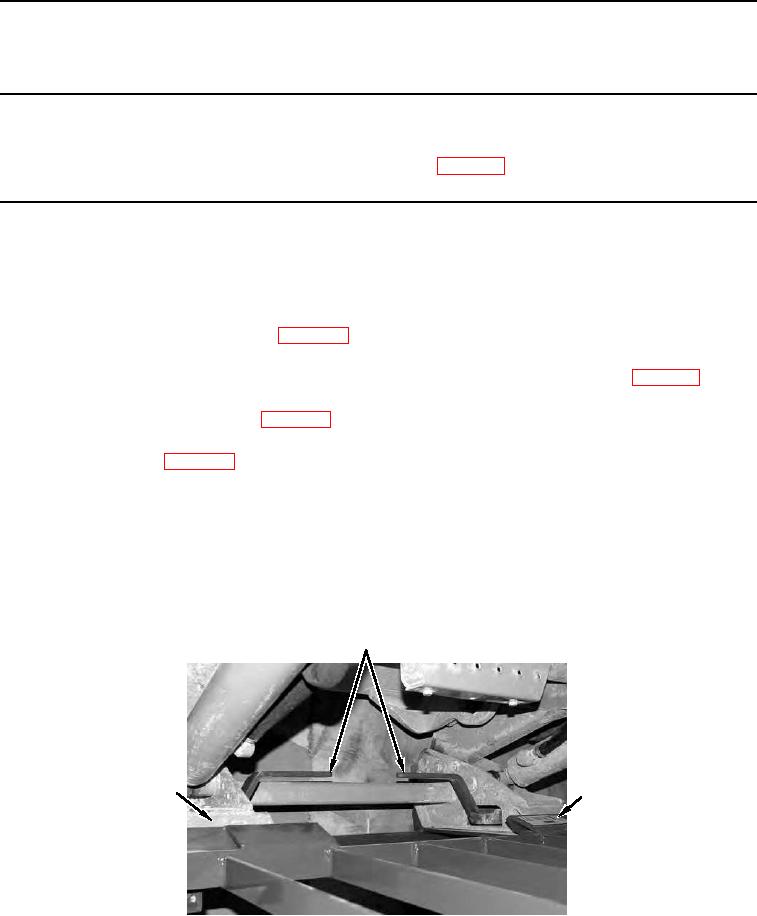
2. Tilt top of attachment coupler (Figure 1, Item 3) forward and slowly drive machine forward until top of attach-
ment coupler fits under frame lifting bracket (Figure 1, Item 2). Refer to Operating Machine (WP 0005).
3. Raise loader arms until top of attachment coupler (Figure 1, Item 3) engages frame lifting bracket (Figure 1,
Item 2). Refer to Operating Loader (WP 0005).
4. Tilt attachment coupler (Figure 1, Item 3) back so that attachment coupler and frame are in full contact. Refer
to Operating Loader (WP 0005).
WARNING
Do not touch control levers while assistant is locking manual locking levers. Failure to
follow this warning may result in injury or death to personnel.
5. With assistance, push manual locking levers (Figure 1, Item 1) fully down to lock pallet fork frame to attachment
coupler (Figure 1, Item 3).
1
3
2
458-0050
Figure 1. Coupling Pallet Fork.
0011